
Pair your iPhone in Terminal
Open Connect → Add → Share Setup in NotiBuddy and run pbpaste | npx -y notibuddy@^0.4.0 pair --to personal in your own Terminal (keep nbpair1. codes out of chat).
Claude Code & Claude Desktop · Local MCP
Add NotiBuddy as a local stdio MCP server so Claude Code sends custom native screens, encrypted Face ID approvals, code diffs, and quick questions straight to your iPhone—and waits for your signed reply.
Recommended · 30 seconds
Claude Code will fetch the step-by-step instructions from /claude-code.md, walk you through pairing, and configure MCP automatically.
Set up NotiBuddy for me using https://notibuddy.app/claude-code.md (notibuddy@^0.4.0). Check `nb status` first; if unpaired, have me run `pbpaste | npx -y notibuddy@^0.4.0 pair --to personal` in my own Terminal (do not ask me to paste `nbpair1.` into chat), install the official plugin or register MCP with `--client claude-code`, and verify with a test notification.Your agent will read the full step-by-step runbook at notibuddy.app/claude-code.md (plain Markdown, English).
Install the official NotiBuddy plugin in one step (starts cleanly before pairing, auto-uses your sole phone, or pin with nb bind --client claude-code --to personal):
# Inside Claude Code (recommended — includes MCP + skills):
/plugin install notibuddy --marketplace yourbit-network/notibuddy

# Or register MCP manually in Terminal (global user scope):
claude mcp add -s user notibuddy -- npx -y notibuddy@^0.4.0 mcp --client claude-codeInstall the local CLI once (brew install yourbit-network/tap/notibuddy or npm install -g notibuddy), then run /plugin install notibuddy-hooks --marketplace yourbit-network/notibuddy — or add this directly to ~/.claude/settings.json (waits 10s so local terminal answers cost zero requests; previews hidden by default; add --requires-auth for Face ID):
{
  "hooks": {
    "PermissionRequest": [
      {
        "hooks": [
          {
            "type": "command",
            "command": "nb hook claude PermissionRequest --client claude-code --timeout 300",
            "timeout": 330
          }
        ]
      }
    ]
  }
}Open Connect → Add → Share Setup in NotiBuddy and run pbpaste | npx -y notibuddy@^0.4.0 pair --to personal in your own Terminal (keep nbpair1. codes out of chat).
Run /plugin install notibuddy --marketplace yourbit-network/notibuddy inside Claude Code (or register manually with claude mcp add -s user above).
Install the local nb CLI and run /plugin install notibuddy-hooks --marketplace yourbit-network/notibuddy to forward unattended Bash and Edit prompts straight to your iPhone after a 10-second grace period.
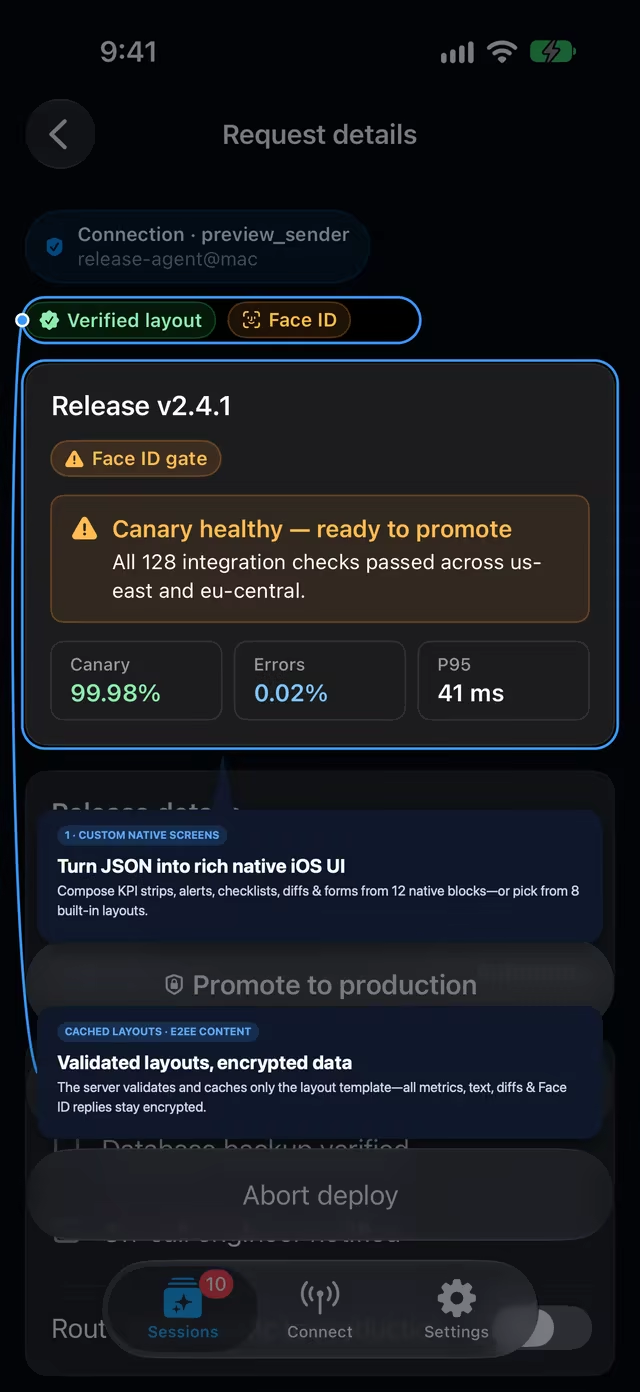
Pass screen to notibuddy_notify to compose KPI strips, alerts, checklists, forms, and Face ID actions from 12 native blocks—layouts are validated and cached while all content stays end-to-end encrypted.
Send original and modified snippets through notibuddy_notify diff (or a diffViewer block inside a Custom Screen) so you verify every line before applying.
Follow Live Activities on Apple Watch, or send an iPhone UI bug screenshot via iOS Share Sheet for Claude to collect with notibuddy_files.
Pair one iPhone with multiple local agents, editors, CI runners, and shell scripts—each with its own revocable sender key.