Stay involved, wherever you sit.
Let your AI research, write, or work through a project. Answer a question from the kitchen or the couch when it needs your input.
Bring questions and updates from your AI and connected apps to your iPhone.
Live Activity on your Lock Screen
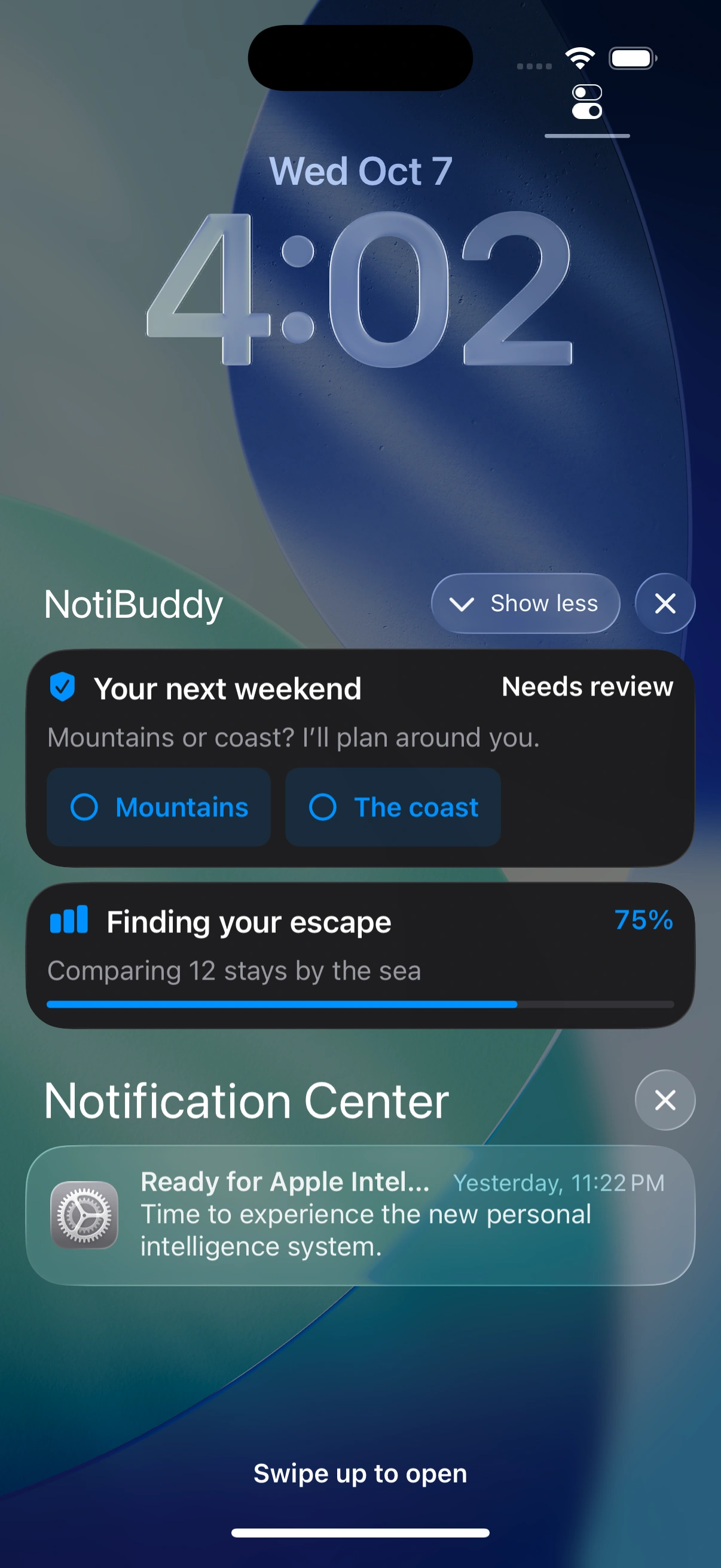
Live Activity on your Lock Screen
A native iPhone notification
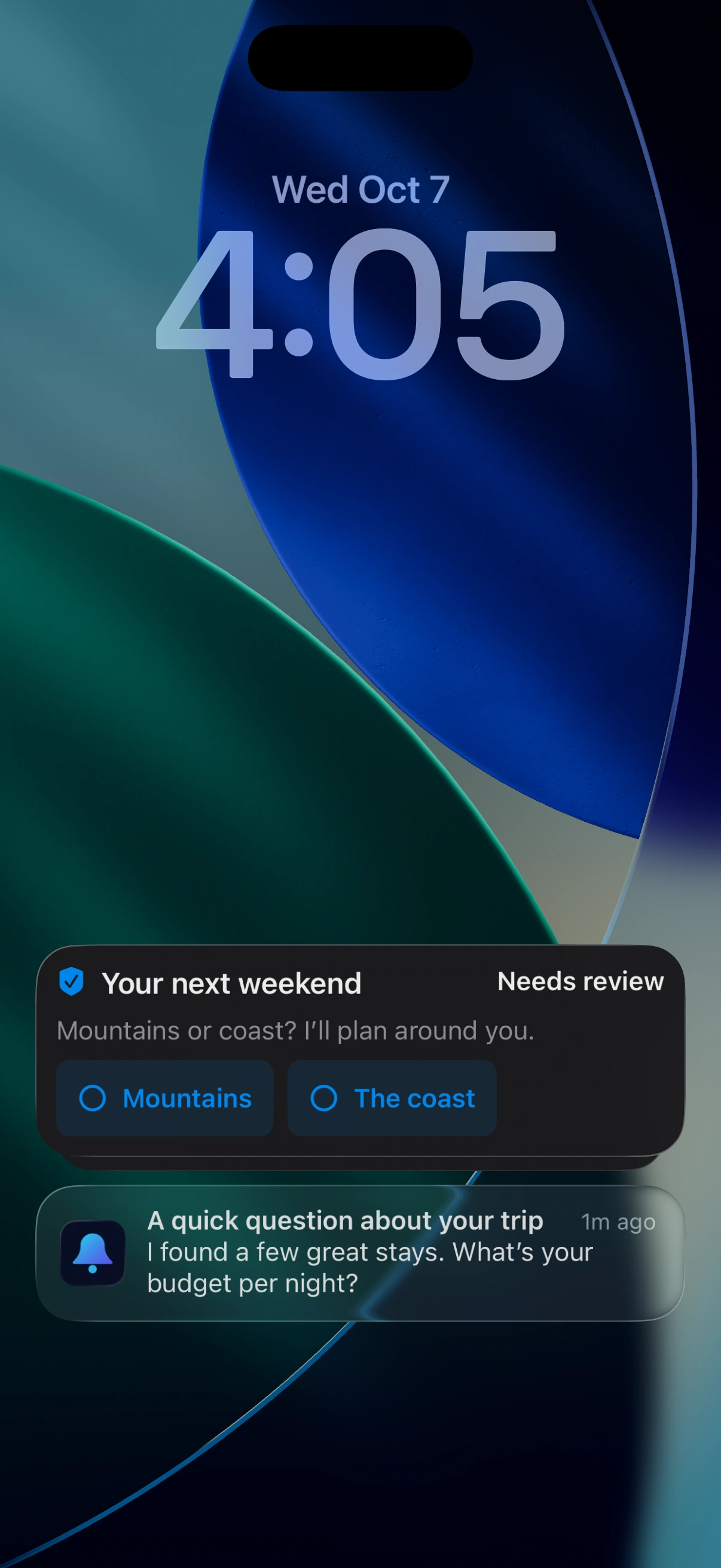
A little input. A lot less waiting.
A quick answer can help your AI take the next step. Here are a few ways that can look.
Interactive preview Example content
 NotiBuddyNeeds your input
I’ve finished the outline for your presentation. Should I turn it into a first draft?
Simple approvals can be answered in a notification. Sensitive decisions open the app for review.
NotiBuddyA quick questionI’m gathering ideas for your weekend. Is there anything you’d like me to include?
Quick text replies are available in notifications. Some questions need you to open the app.
NotiBuddyReview in the appI have three ideas for the introduction. Choose a tone and I’ll develop it.
Custom choices open in NotiBuddy so you can review every option.
NotiBuddyProgress updateComparing the most useful sources.
Step 2 of 3
Your AI sends updates to a Live Activity on the Lock Screen and, on supported iPhones, the Dynamic Island.
Static preview. Enable JavaScript to try the examples. Nothing is sent to a phone or AI assistant.
Let your AI research, write, or work through a project. Answer a question from the kitchen or the couch when it needs your input.
Check the latest progress your AI has shared, without returning to the conversation on your computer.
Questions and replies are encrypted between the connected app and your iPhone. The delivery service stores encrypted messages and routing information.
How privacy worksConnect once. Check in from your phone.
You’ll need the NotiBuddy iPhone app and an AI assistant that supports local MCP tools.
Allow notifications, then open Connect on your iPhone.
Use Share Setup to send the pairing instructions to the computer where your AI runs.
Connect the MCP server, send a test question, and ask your AI to use NotiBuddy when it needs your input.
Building an app or service? You can connect directly, too.
The Apple app is still in preview. The computer client is available on npm; using it requires an app build and an approved connection.
Before you step away
Your answer goes back to the connected AI, which must check for it and continue the task. Keep the AI session running on its computer or server. NotiBuddy can’t wake a sleeping computer or restart a finished conversation.
No. Apps, scripts, and services can integrate with NotiBuddy to send questions and progress, then receive your replies. Each sender must be paired with your phone and use NotiBuddy’s encrypted message format. MCP provides the connection for compatible AI assistants; a custom app or service can connect directly. Read about direct integrations.
Timer controls send a request back to the AI. It needs to receive and act on that request. They don’t instantly stop a running task, and a phone approval doesn’t replace your AI app’s own permission prompts.
New ordinary requests allow three hours to reply by default and at most; the sender can choose a shorter deadline. Checking again does not extend it. An unanswered or expired question must stay unresolved; your AI should never treat silence as approval.
Launch is being prepared for iPhone, including iPhone Duo, native iPad, and a native Apple Watch companion. iPad, Duo, and direct Watch delivery are still undergoing launch testing; publishing the computer package does not make those app features publicly available. The app targets iOS/iPadOS 17 or later and watchOS 10 or later. Dynamic Island requires a supported iPhone. Use the preview build supplied to you and follow its connection instructions.
The MCP integration needs an AI app with local MCP support. Other apps and services can use the computer client or implement the documented protocol. Each sender needs an approved connection.
Your phone and the connected app or service need internet access to exchange new messages. Delivery can be delayed by connection problems or iOS notification settings. Open NotiBuddy to refresh if an update hasn’t arrived.
Plans
Free use for trying it out. Paid plans for more frequent questions and updates.
Free
For a few questions and updates.
Pro Annual
For regular use with your AI.
Lifetime Pass
Pro access while the service is operated. No recurring subscription.
Planned launch allowances. Paid plans are not available to purchase from this preview. Local prices, currency, billing terms, and any eligible offer will be shown by Apple before purchase. One paired Apple Watch per iPhone is included in the planned launch; it shares that iPhone’s allowance. Watch enrollment and direct delivery are still being tested. A free request includes a question or an activity start, update, or end. Read the terms.
In development
The Apple app is being prepared for release. There is no public app download yet; existing testers need the build supplied to them.
The notibuddy 0.2 computer client is published on npm for Node.js 20 or later. It includes the CLI and local MCP server. You still need the app and a connected sender to exchange messages.