Install notibuddy 0.4.0+
Use it as a CLI, an MCP server, or an official agent plugin. Add nb hook to route Claude Code PermissionRequest prompts to your phone.
iPhone, iPad & Apple Watch · End-to-End Encrypted
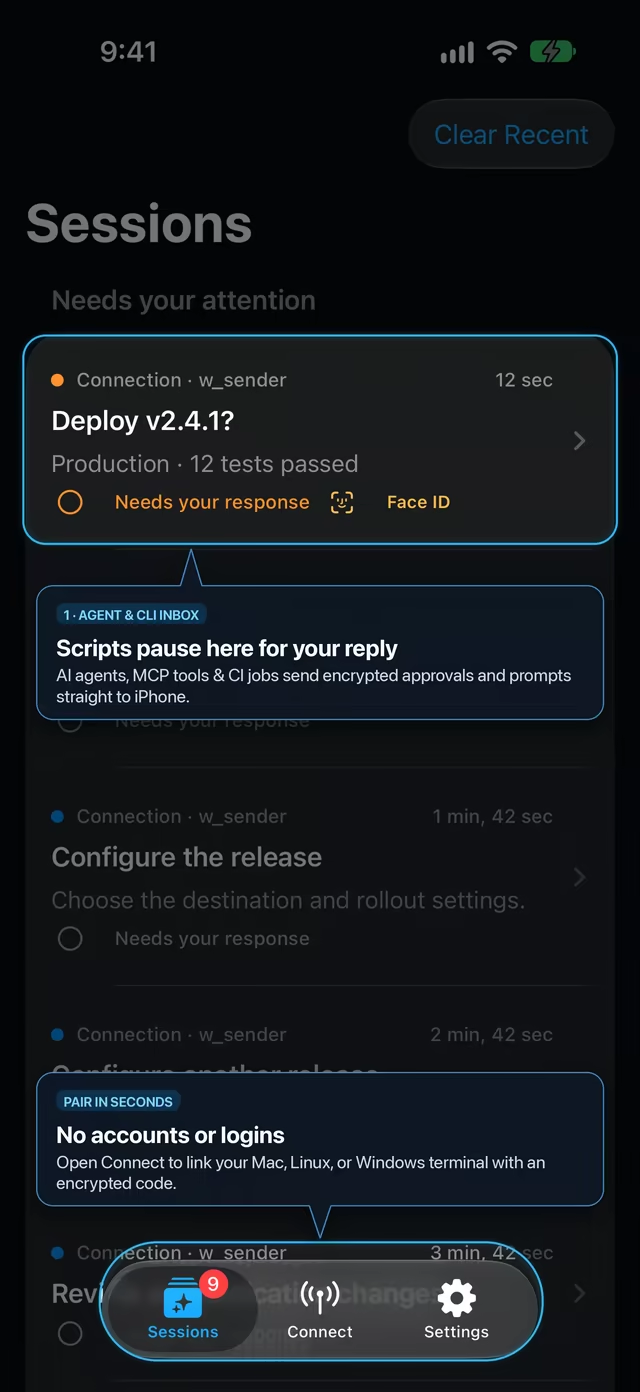
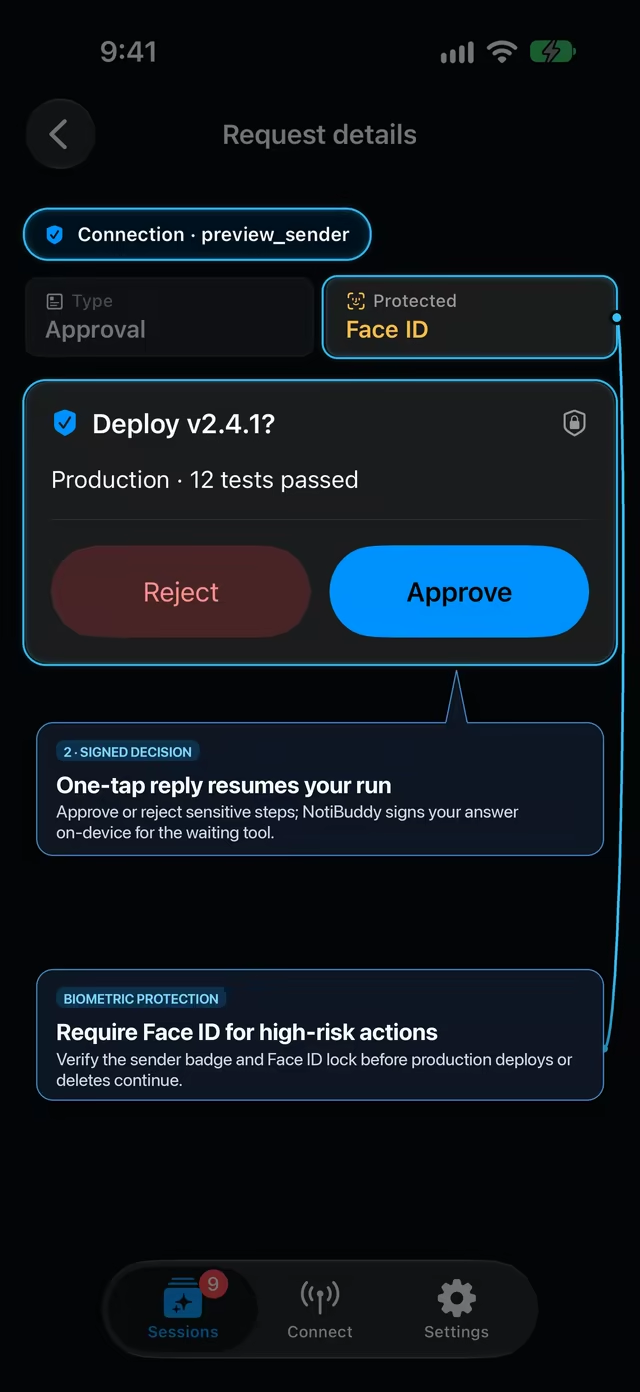
NotiBuddy sends your agent's questions, approvals and progress to your iPhone and Apple Watch as native, end-to-end encrypted screens. Approve a deploy with Face ID, review the diff, reply, and your running agent carries on.
Free on the App Store · iOS 17+ & watchOS 10+ · notibuddy 0.4.0+ ·Setup guide
In action
Watch real agent workflows pause, deliver native Dark Mode screens to your iPhone, and resume only after your verified P-256 reply.


How it works
Install the CLI or an official plugin, pair once, and let your agent ask whenever it needs a human.
Use it as a CLI, an MCP server, or an official agent plugin. Add nb hook to route Claude Code PermissionRequest prompts to your phone.
Enter the 10-minute setup code while the app is open. Every later sender needs your approval: compare its Sender Key ID first.
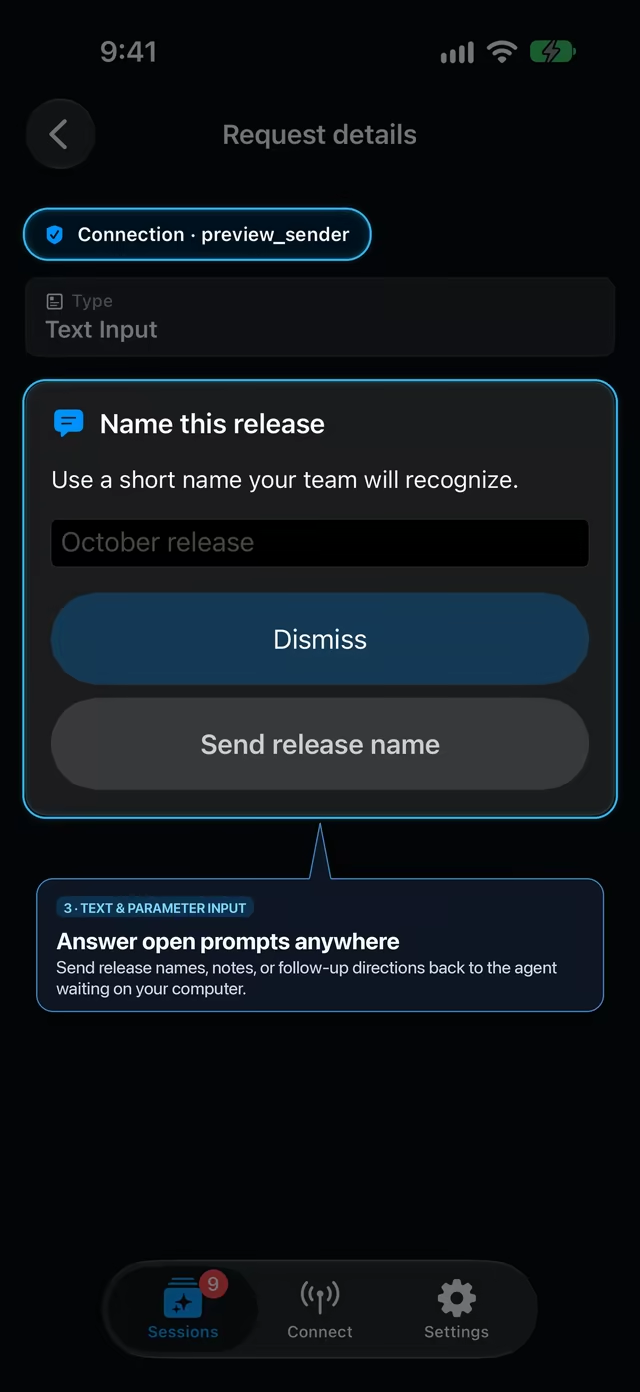
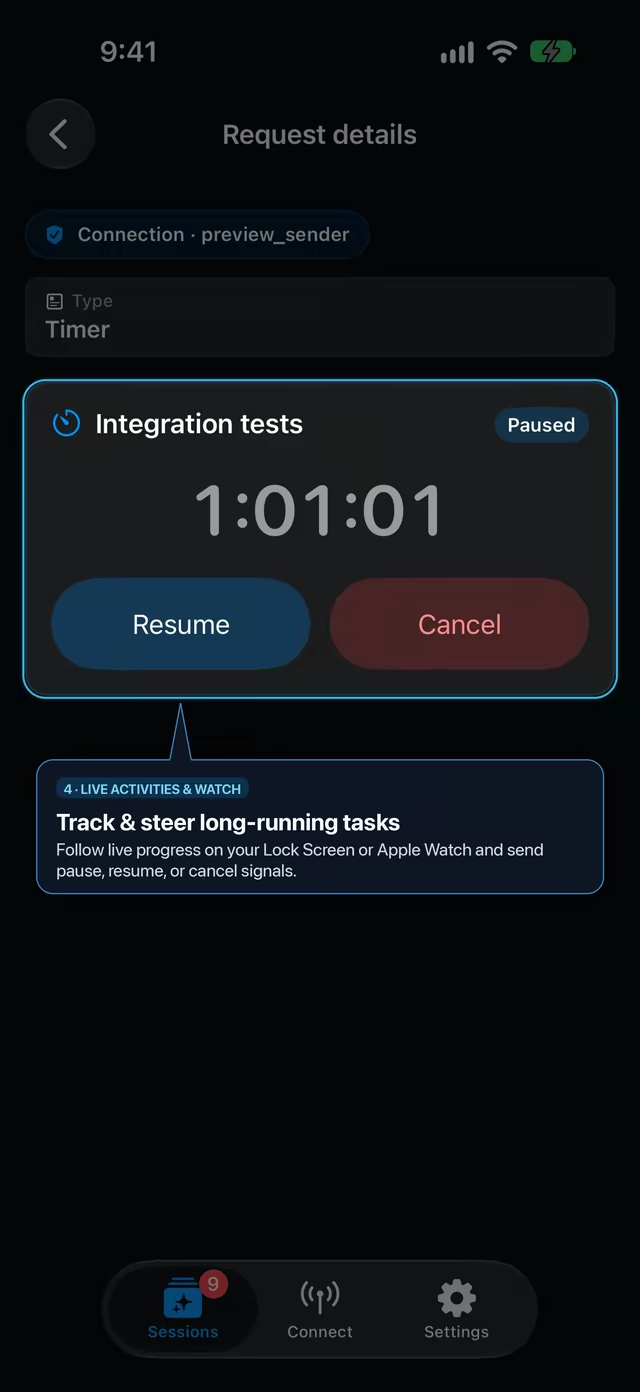
Approve with Face ID, reply, fill in a form or follow a Live Activity. Your answer goes straight back to the agent that asked.
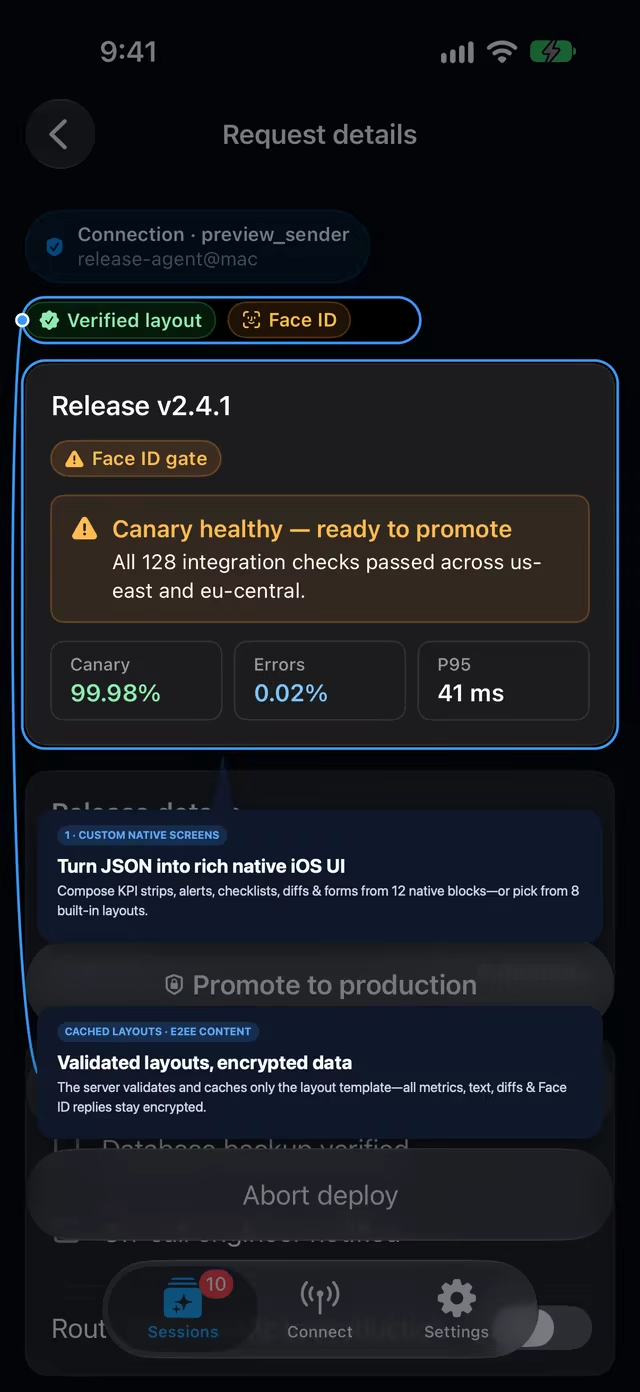
Set up NotiBuddy for me using https://notibuddy.app/setup.md (notibuddy@^0.4.0). Ask me for my 10-minute Share Setup pairing snippet from the NotiBuddy iOS app, configure the local MCP server or CLI, and verify with a test notification.{
"title": "Promote v2.4.1 to production",
"screen": {
"template": {
"root": {
"kind": "vstack",
"children": [
{ "kind": "alert", "severity": "success", "title": "Canary healthy", "body": "128/128 checks passed." },
{ "kind": "kpiStrip", "items": [{ "label": "Canary", "value": "99.98%" }, { "label": "Errors", "value": "0.02%" }] }
]
},
"actions": [
{ "id": "promote", "label": "Promote to production", "role": "primary", "requireBio": true },
{ "id": "abort", "label": "Abort deploy", "role": "destructive", "requireBio": false }
]
}
}
}npx -y notibuddy@^0.4.0 gate "Deploy v2.4.1?" \
--to personal \
--message "Production · 12 tests passed" \
--approve "Approve" --reject "Reject" \
--requires-auth --timeout 600{
"mcpServers": {
"notibuddy": {
"command": "npx",
"args": ["-y", "notibuddy@^0.4.0", "mcp", "--to", "personal"]
}
}
}Payloads, replies, and shared files are end-to-end encrypted between paired keys; the relay only forwards ciphertext.
Privacy notice →Requests have up to a three-hour deadline. Unanswered or expired prompts fail closed—never auto-approve.
Tool contract →Not limited to MCP. Scripts, CI pipelines, and custom apps can integrate directly over the open protocol.
Direct integrations →New in 1.2
Everything your agent needs to hand you a real decision, rendered natively and encrypted end to end.
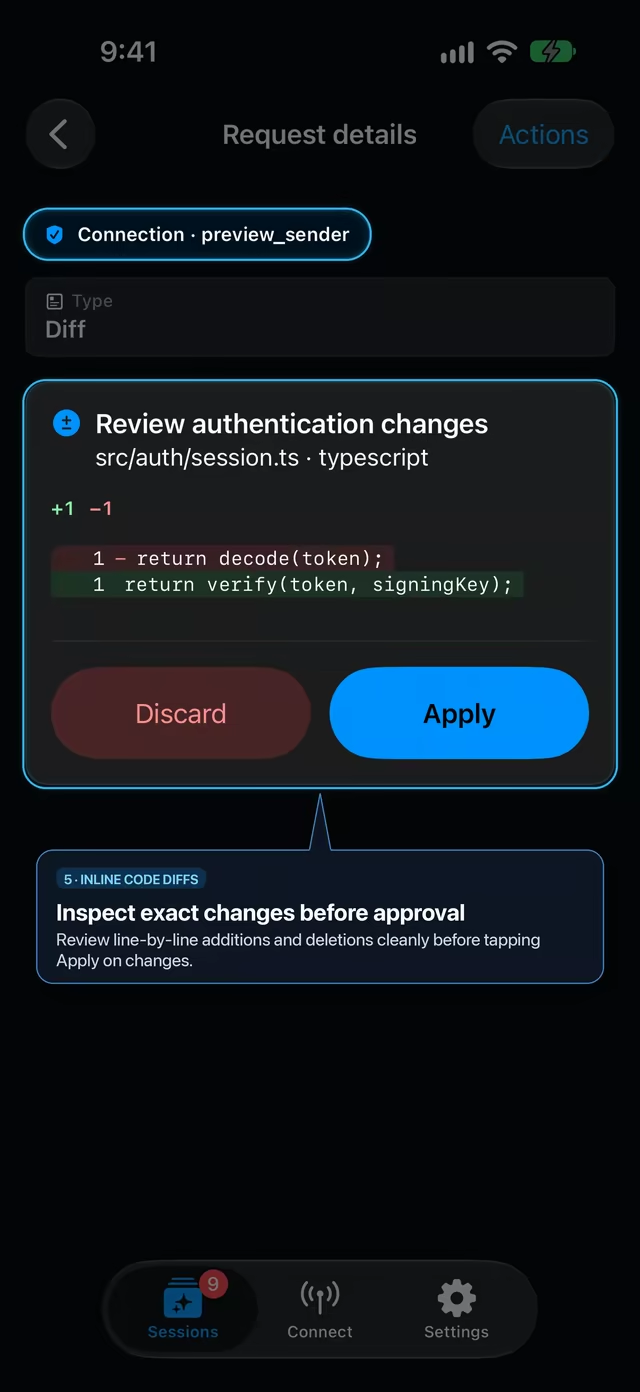
Compose 12 native blocks (KPI strips, alerts, checklists, code diffs, forms and Face ID actions) or start from 8 built-in layouts. For custom layouts, the server validates and caches only the content-free structure; every word, metric and diff stays end-to-end encrypted.
Install an official agent plugin or wire nb hook into Claude Code's PermissionRequest hook. You get a 10-second grace window to answer at your desk; after that, the prompt goes to your iPhone. Use the same gate in CI so deploys fail closed until you approve.
See what's waiting on Home Screen, Lock Screen and StandBy widgets, jump in from an iOS 18 Control Center control, follow runs in Live Activities and the Dynamic Island, and answer from a paired Apple Watch.
Send a screenshot, PDF or log from the iOS Share Sheet to an approved sender, up to 10 MB per file and end-to-end encrypted. Your computer receives it with nb files receive, or your agent with the notibuddy_files MCP tool. “Delivered” means saved there, not opened.
FAQ
No. NotiBuddy connects your own agent, script or CI job to your devices. Your agent or integration has to keep running; NotiBuddy never restarts AI sessions or runs sender commands on your device.
Simple questions with buttons or text, or Custom Native Screens built from 12 native blocks and 8 built-in layouts: KPI strips, alerts, checklists, code diffs, forms and Face ID-protected actions. Requires notibuddy 0.4.0 or later.
nb hook plugs into Claude Code's PermissionRequest hook. You get a 10-second grace window to answer at your desk, then the request goes to your iPhone. In CI, a gate waits for your answer and fails closed if no approval arrives.
Yes. From the Share Sheet, send files up to 10 MB each, end-to-end encrypted, to an approved sender. Your computer must be running nb files receive (or your agent the notibuddy_files tool). “Delivered” means saved there, not opened by an agent.
Plans
Every plan is end-to-end encrypted and includes one paired Apple Watch per iPhone. Pro removes the daily cap so your agents can ask whenever they need you.
Free
Try NotiBuddy with one device.
Pro Annual
For daily agent work. Eligible subscribers get the first calendar month free.
Pro Lifetime
Pay once. Built for a desk full of devices.
Free: questions and Live Activity starts count toward the 5 requests per rolling 24 hours; Live Activity updates and ends don't use extra requests. Pro removes the daily cap; service rate limits still apply. Each iPad is a separate destination; 1 paired Apple Watch per iPhone shares that iPhone's allowance. Family Sharing not included. Annual auto-renews unless canceled. Buying Lifetime doesn't cancel an existing Annual subscription, and Lifetime access depends on continued operation of the NotiBuddy service. Apple confirms local price and offer eligibility before purchase. See full terms.

Ready when your agent is
Download NotiBuddy, install notibuddy 0.4.0+, and pair with a one-use code.
Using another tool? NotiBuddy works with any MCP client or CLI script that runs notibuddy 0.4.0+.