
iPhone koppeln
Öffne Verbinden → Hinzufügen in NotiBuddy und führe nb pair --to personal aus.
Cursor IDE · Lokales MCP
Füge NotiBuddy in .cursor/mcp.json hinzu, damit Cursor Agent Rückfragen, Code-Diffs und Face-ID-Freigaben auf dein iPhone schickt.
Empfohlen · 30 Sekunden
Cursor liest /cursor.md, führt dich durch die Kopplung, erstellt .cursor/mcp.json und eine Cursor-Regel.
Richte NotiBuddy für mich gemäß https://notibuddy.app/cursor.md (notibuddy@^0.4.0) ein. Prüfe `nb status`; falls nötig, lass mich `pbpaste | npx -y notibuddy@^0.4.0 pair --to personal` im eigenen Terminal ausführen, konfiguriere .cursor/mcp.json mit `--client cursor`, erstelle .cursor/rules/notibuddy.mdc und prüfe mit einer Testmeldung.Dein Agent liest die vollständige Anleitung unter notibuddy.app/cursor.md (reines Markdown, Englisch).
Füge dies in deine Cursor-MCP-Konfiguration ein (bei mehreren Zielen fixiere mit nb bind --client cursor --to personal):
{
  "mcpServers": {
    "notibuddy": {
      "command": "npx",
      "args": ["-y", "notibuddy@^0.4.0", "mcp", "--client", "cursor"]
    }
  }
}Öffne Verbinden → Hinzufügen in NotiBuddy und führe nb pair --to personal aus.
Füge den mcpServers-Block in Cursor Settings → MCP ein und aktualisiere den Server.
Erstelle .cursor/rules/notibuddy.mdc, damit der Agent bei Rückfragen notibuddy_notify nutzt.
Kombiniere Hinweise, Checklisten, Code-Diffs und Formulare in einem nativen Custom Screen.
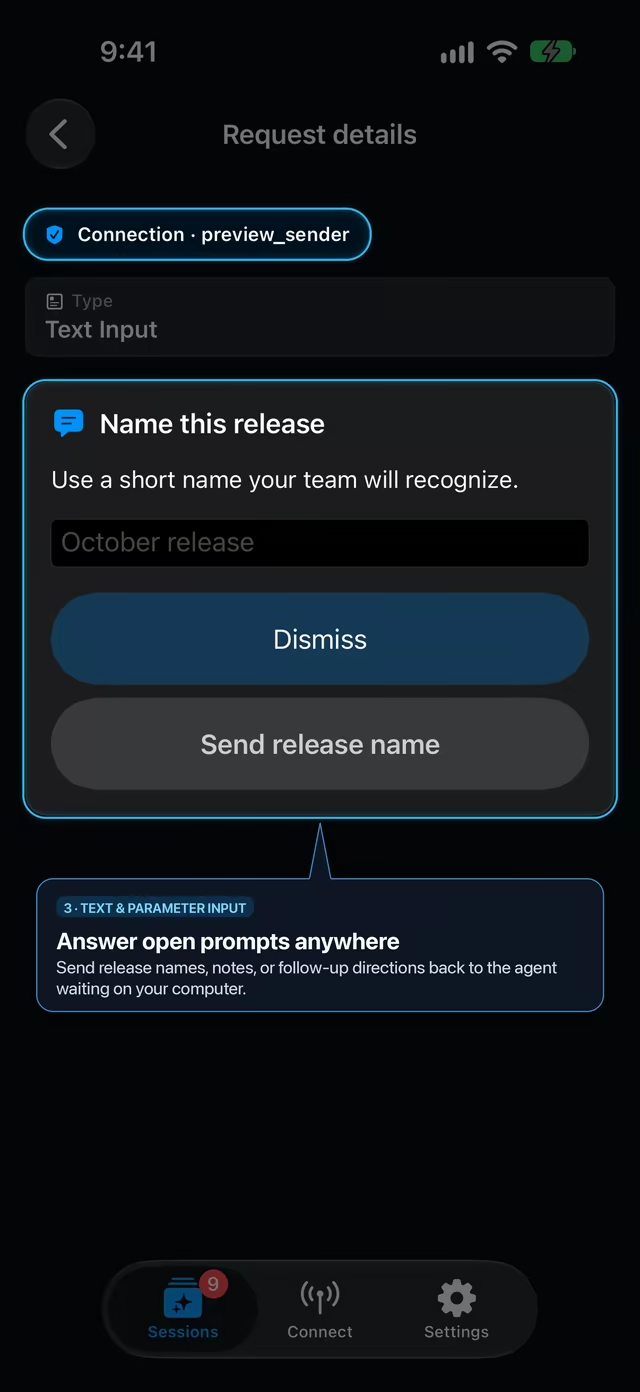
Beantworte Namens-, Branch- oder Designfragen in Sekunden vom iPhone.
Sieh Fortschritte auf der Apple Watch oder sende UI-Bug-Screenshots für notibuddy_files.
Kopple ein iPhone mit mehreren lokalen Agenten, Editoren, CI-Runnern und Shell-Skripten — jeder mit eigenem widerrufbarem Schlüssel.